
EcotaleCoins - Physical Currency
PluginPhysical coin items and banking system for the Ecotale economy. Players collect coins in the world and store them in the bank.
EcotaleCoins - Physical Currency for Hytale
Physical coin items and banking system for the Ecotale economy. Players collect coins in the world and store them in the bank.



Screenshots
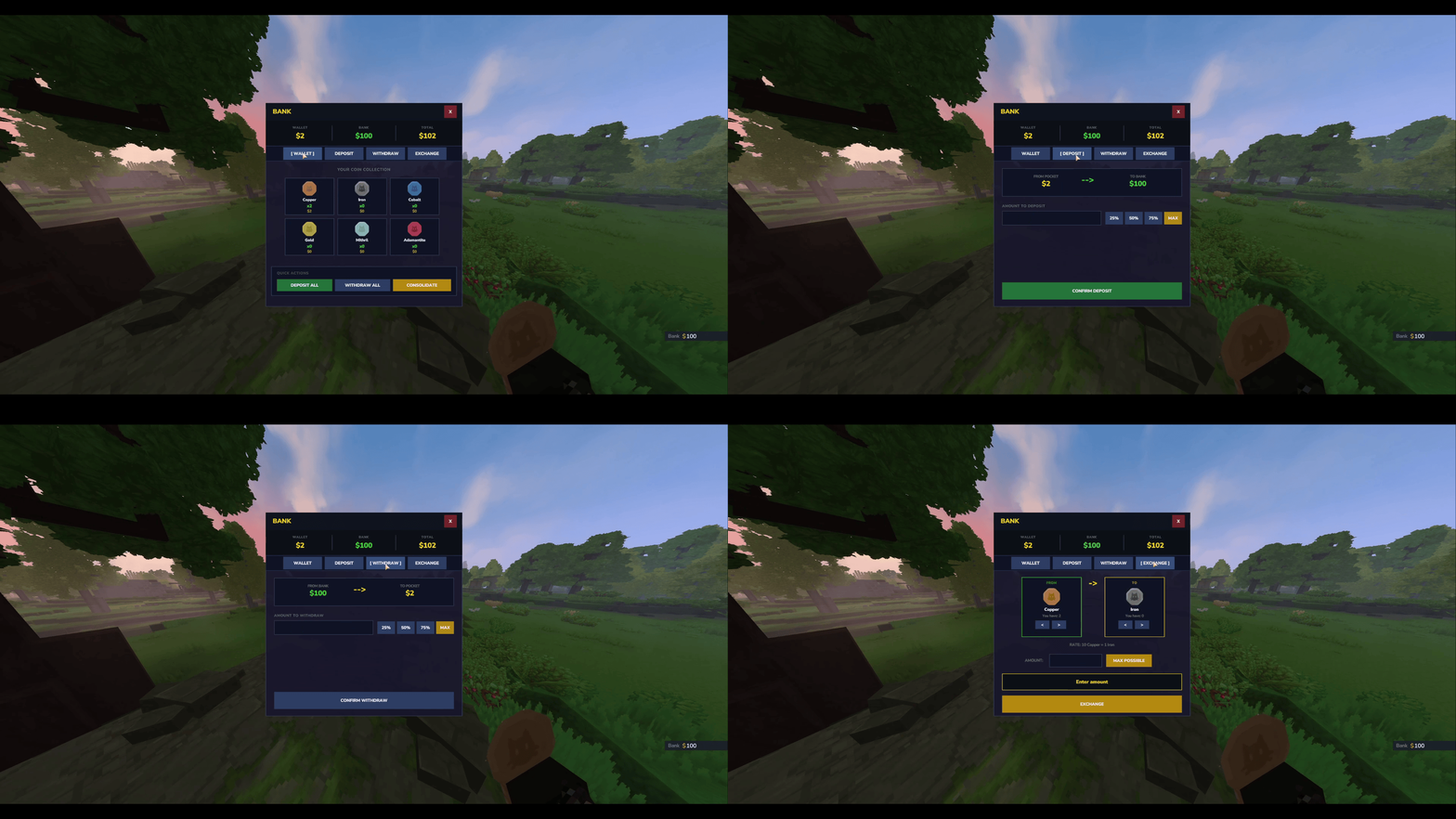
Bank GUI
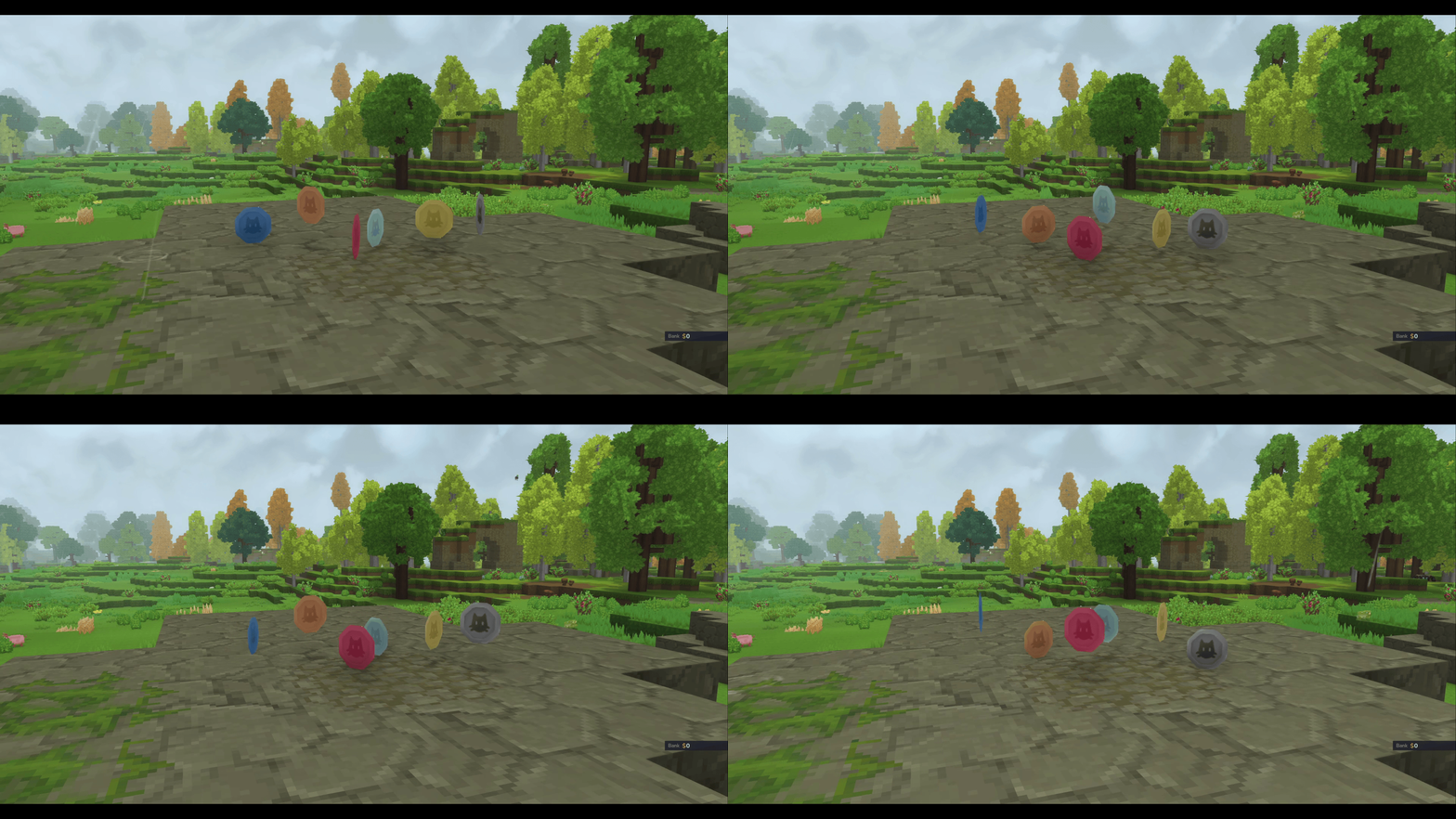
Physical Coins
Features
Physical Currency
- 6 coin denominations - COPPER, IRON, COBALT, GOLD, MITHRIL, ADAMANTITE
- World drops - Coins drop from mobs when EcotaleJobs is installed
- Optimal breakdown - Large values auto-convert to highest denominations
- Pickup system - Walk over coins to collect them
Bank System
- Secure storage - Bank balance separate from inventory coins
- Deposit/Withdraw - Convert between bank and physical coins
- Exchange - Convert between coin denominations
- Consolidate - Combine small coins into larger ones
API
- Full provider API for other plugins
- Drop coins at entity positions
- Secure transaction handling
Installation
- Install Ecotale first
- Download
EcotaleCoins-1.0.0.jar - Place in your Hytale
mods/folder - Start the server
First Startup Behavior
On first installation, the plugin extracts coin assets to mods/Ecotale_EcotaleCoins/. This creates an asset pack that Hytale must load.
The server will automatically restart once after extracting assets. This is expected behavior - Hytale requires a restart to register new asset packs.
[EcotaleCoins] First-time setup detected. Restarting server to load assets...After the restart, coins will work normally. This only happens once.
Commands
| Command | Description | Permission |
|---|---|---|
| <code>/bank</code> | Open bank GUI | All players (Adventure mode) |
| <code>/bank deposit <amount | all></code> | Deposit coins to bank |
| <code>/bank withdraw <amount | all></code> | Withdraw coins from bank |
Permissions
| Permission | Description | Default |
|---|---|---|
| <code>ecotale.ecotalecoins.command.bank</code> | Access to /bank commands | All players (Adventure mode) |
Important: LuckPerms Override Behavior
If you install LuckPerms, commands will be blocked for all players until you grant permissions:
# Grant bank access to all players
/lp group default permission set ecotale.ecotalecoins.command.bank true

# Verify permission
/lp user <username> permission check ecotale.ecotalecoins.command.bank
Customization
All coin assets are extracted to mods/Ecotale_EcotaleCoins/ and can be modified.
Texture Customization
Located in Common/Items/Currency/Coins/:
| File | Description |
|---|---|
| <code>Coin_Copper.png</code> | Copper coin texture (64x64) |
| <code>Coin_Iron.png</code> | Iron coin texture |
| <code>Coin_Cobalt.png</code> | Cobalt coin texture |
| <code>Coin_Gold.png</code> | Gold coin texture |
| <code>Coin_Mithril.png</code> | Mithril coin texture |
| <code>Coin_Adamantite.png</code> | Adamantite coin texture |
To customize: Replace any PNG with your own 64x64 texture and restart the server.
Model Customization
| File | Description |
|---|---|
| <code>Coin.blockymodel</code> | Dropped coin 3D model |
| <code>Coin_Held.blockymodel</code> | Held/inventory coin model |
Icon Customization
Located in Common/Icons/Items/Coins/ - these appear in the inventory UI.
Coin Values
| Coin | Base Value | Relative Value |
|---|---|---|
| COPPER | 1 | 1 coin |
| IRON | 10 | 10 copper |
| COBALT | 100 | 10 iron |
| GOLD | 1,000 | 10 cobalt |
| MITHRIL | 10,000 | 10 gold |
| ADAMANTITE | 100,000 | 10 mithril |
Configuration
Note: EcotaleCoins does not have a config file. Coin values are defined in CoinType.java enum and cannot be changed without recompiling.If you need configurable coin values, submit a feature request or modify CoinType.java:
public enum CoinType {
    COPPER("Coin_Copper", 1, "Copper"),
    IRON("Coin_Iron", 10, "Iron"),
    COBALT("Coin_Cobalt", 100, "Cobalt"),
    GOLD("Coin_Gold", 1_000, "Gold"),
    MITHRIL("Coin_Mithril", 10_000, "Mithril"),
    ADAMANTITE("Coin_Adamantite", 100_000, "Adamantite");
    // ...
}
API Usage
import com.ecotale.api.EcotaleAPI;
import com.ecotale.api.PhysicalCoinsProvider;

// Check if coins addon is available
if (EcotaleAPI.isPhysicalCoinsAvailable()) {
    PhysicalCoinsProvider coins = EcotaleAPI.getPhysicalCoins();

    // Drop coins at entity position
    coins.dropCoinsAtEntity(entityRef, store, commandBuffer, 500L);
}
Building from Source
Requirements: Place JARs in libs/ folder:
hytale-server.jar(Hytale dedicated server)Ecotale-1.0.0.jar(from Ecotale project)
./gradlew jarOutput: build/libs/EcotaleCoins-1.0.0.jar
License
MIT License - 2026 Tera-bytez
0 Comments