Modpacks v2: from your world to theirs
Build and share Hytale modpacks with chosen versions, per-mod configs, and projects from Modtale and CurseForge.
 Modtale Team3 min read
You’ve found the right mods, tested the combination, and tuned the configs. Now you want everyone else to experience the world you’ve put together. Getting them there should be the easy part, and Hytale has been missing it.
Modpacks v2 rebuilds that process. Assemble a release on the Modtale website, pick the versions it includes, and attach your own configs to the mods they belong to. Bring in projects from other sources, including CurseForge.
Build the pack, right on Modtale
A new modpack starts in the website’s release editor. Search for the projects you want, choose the releases you’ve tested, and build your lineup.
Version choices include game version compatibility, so you know you're getting the version of the mod you want. If a mod needs dependencies, the editor can prompt you to add those too. Each entry keeps its selected version, so a new release from a mod author doesn’t silently change the combination you chose.
Add your release details and changelog, review the contents, and publish when you’re ready. Your project gives players a place to discover the pack, read about it, and find its releases.
Give each mod the settings you intended
The difference between a pile of mods and a pack can be a handful of carefully chosen settings. Defaults that make several projects feel at home together.
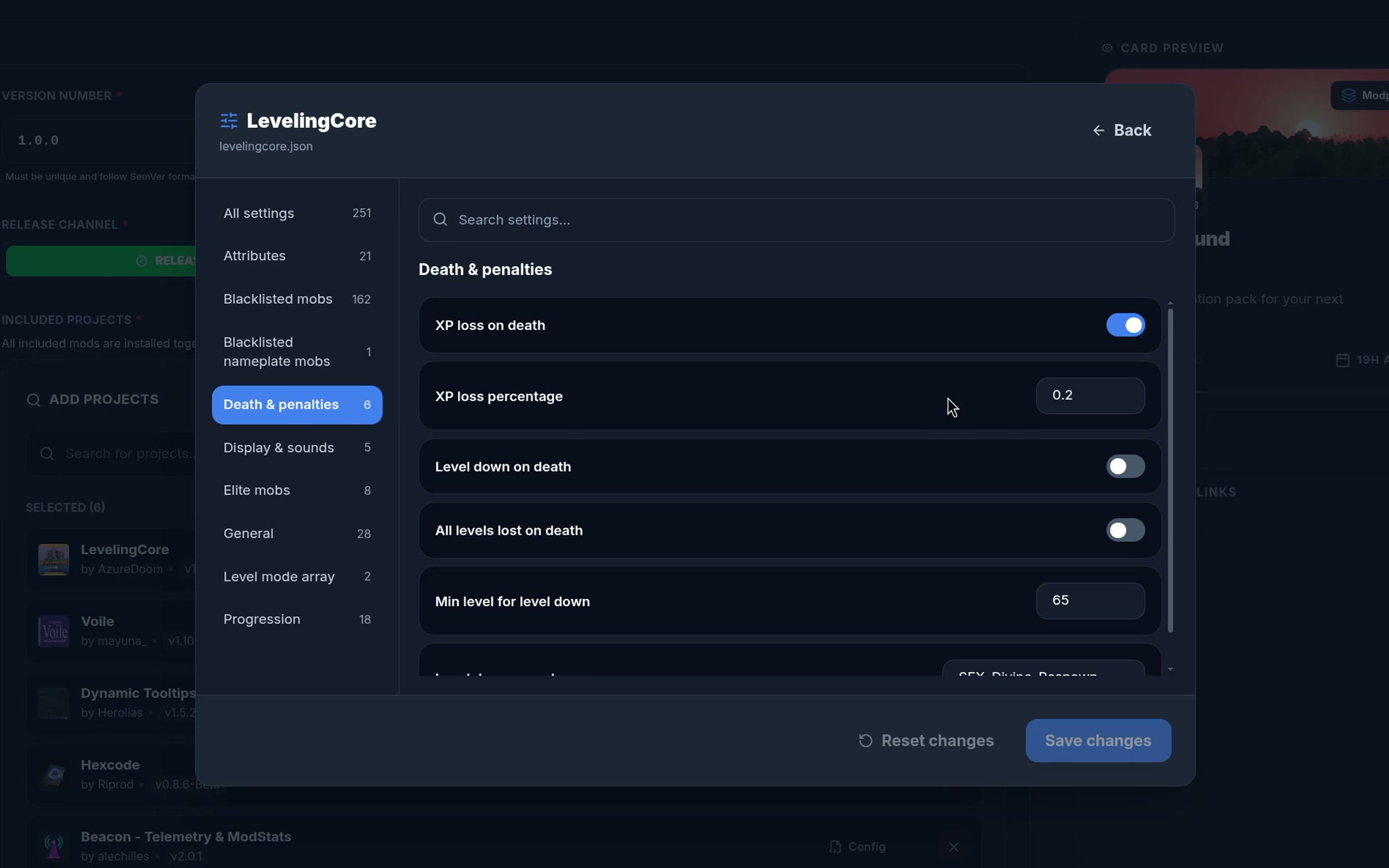
In the website editor, open Configs beside an included mod. There you can upload config files and edit their settings right on the site. Each mod has its own attachments, so you can see which settings belong to which part of your pack.
For Modtale projects, the editor tries to read the mod’s manifest and suggest its folder name. You can correct that name when needed, and expand File details to check where the files will go.
These files travel with the release and are applied when the pack is enabled in a universe. Existing settings are kept. Your defaults establish the starting experience without replacing the choices someone has already made.
Your lineup can reach beyond Modtale
A pack’s best combination might span more than one catalog. The editor now lets you add external references alongside Modtale projects, including CurseForge.
For a CurseForge mod, paste its specific file-page link in the external-project picker. You can attach its config defaults through the same per-mod controls.
To comply with the CurseForge terms, packs containing CurseForge mods require the Modtale Launcher. The website makes that requirement clear, and the launcher downloads those mods directly from CurseForge to the player’s device, without going through Modtale services.
From a release to a world
The launcher brings the finished pack into your library, installs its included mods together, and lets you choose the worlds that use it.
For a closer look at browsing, downloading, and managing mods on desktop, read the launcher announcement.
Make it yours. Make it shareable.
Start with a few favorite mods or a setup you’ve already spent hours playing. Give it the versions and settings that make it work. Modpacks v2 gives that work a home on Modtale.
Explore the modpack catalog, build a pack in the project editor, or turn a shared list into your first draft. We’d love to see what you create on Discord.
See you in the worlds you make.
- Modtale